Quickstart — Claude Code
Build your first AI superpower with Claude Code in 5 minutes.
This guide walks you through building your first superpower using Claude Code and the Ikiro dev kit. By the end, you'll have a working AI tool that your companion can use when you text them.
No coding experience required. You'll describe what you want in plain English, and Claude Code + the dev kit handle the rest.
What you'll need
Before starting, make sure you have:
- Python installed on your computer (download here if you don't have it)
- Claude Code installed (get it here)
- An Ikiro account with a companion activated (sign up at ikiro.ai)
Step 1: Install the dev kit
Open your terminal (Terminal on Mac, Command Prompt on Windows) and run:
pip install ikiro-dev-kitThis downloads the Ikiro dev kit — a set of tools that let Claude Code build, test, and deploy superpowers for you.
Already have it installed? Run this to make sure you're on the latest version:
pip install --upgrade ikiro-dev-kitTo make sure it installed correctly, run:
ikiro-dev-kit list-operationsYou should see a list of building blocks like llm_generate, web_search, http_request, etc. These are the operations your superpowers can use. If you see this list, you're good to go.
If you get "command not found": Try python -m ikiro_dev_kit list-operations instead, or make sure Python's scripts directory is in your PATH.
Step 2: Get your API key
Your API key is like a password that lets the dev kit talk to your Ikiro account.
- Go to ikiro.ai/dashboard/developer/keys — you'll see the Developer Portal:
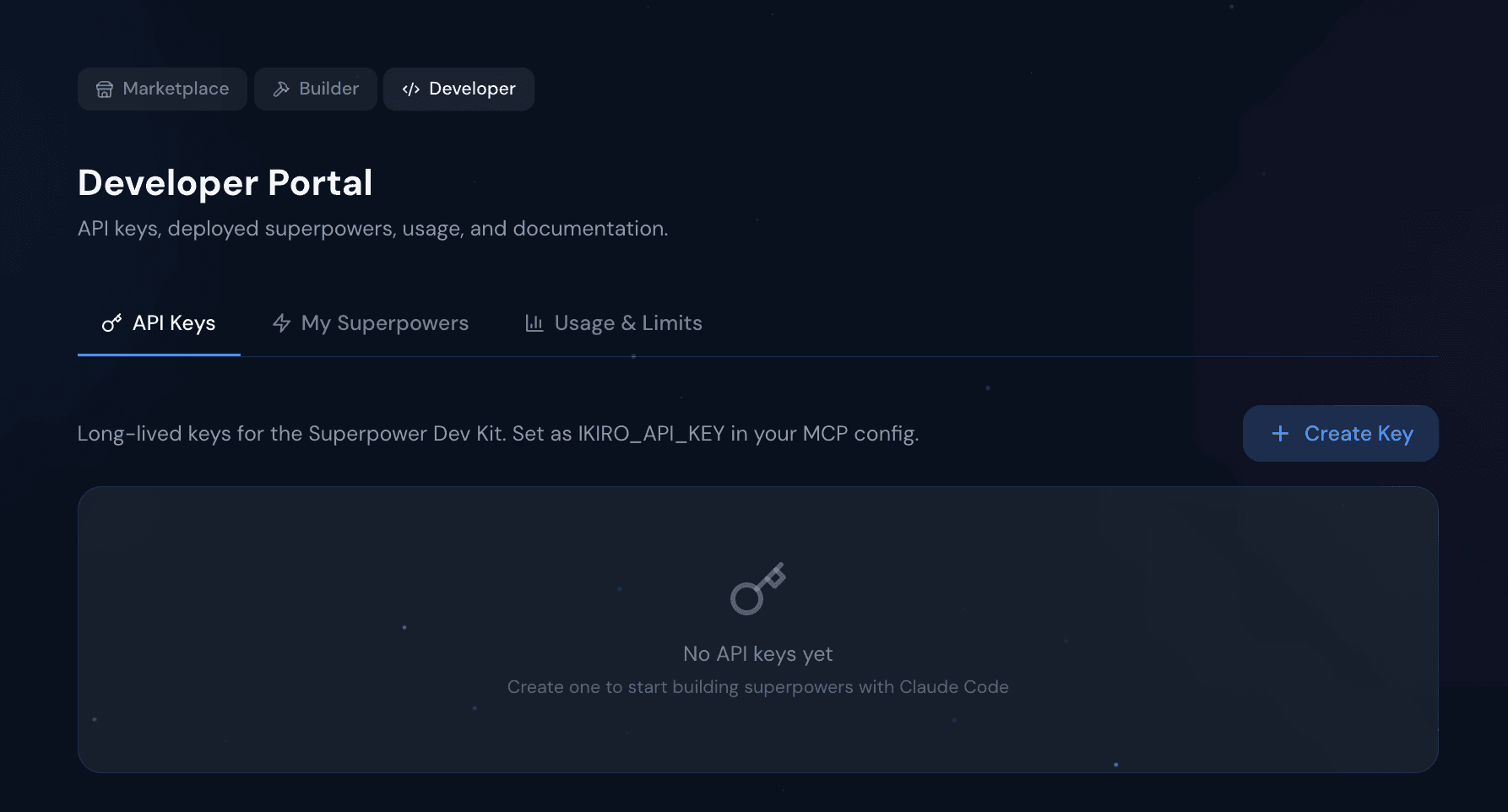
- Click Create Key
- Give it a name (like "my dev kit")
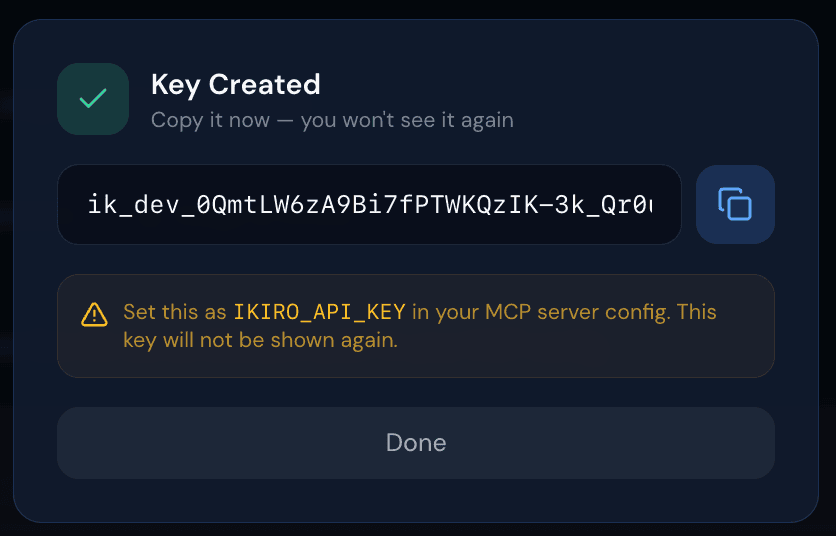
- Copy the key immediately — it starts with
ik_dev_and is only shown once. If you lose it, you'll need to create a new one.
Step 3: Connect Claude Code to Ikiro
This step tells Claude Code how to talk to Ikiro. Run this command in your terminal, replacing YOUR_KEY with the API key you just copied:
claude mcp add --env IKIRO_API_KEY=ik_dev_YOUR_KEY ikiro-dev-kit -- ikiro-dev-kit mcpWhat this does: It registers the Ikiro dev kit as a tool that Claude Code can use. The --env IKIRO_API_KEY=... part securely passes your API key so Claude Code can deploy superpowers to your account.
Now restart Claude Code (close and reopen it). Then type /mcp to check the connection. You should see ikiro-dev-kit listed as connected.
If it says "not connected":
- Double-check that you replaced
YOUR_KEYwith your actual key (the one starting withik_dev_) - Make sure you restarted Claude Code after running the command
- Try running
ikiro-dev-kit list-operationsagain to verify the package is installed
Step 4: Build your first superpower
Now for the fun part. Open Claude Code and just tell it what you want to build in plain English:
Build me a superpower that checks crypto prices when I ask about bitcoin or ethereumClaude Code will automatically:
-
Create the superpower — It generates a configuration file (called
definition.yaml) that describes what your superpower does. This file gets saved to a folder on your computer at~/superpowers/crypto-checker/. -
Check for errors — It validates the configuration to make sure everything is set up correctly.
-
Deploy it to your account — It uploads the superpower to Ikiro's servers so your companion can use it.
-
Connect it to your companion — It equips the superpower to your companion's toolbelt so they can use it when you text them.
All of this happens automatically — you just describe what you want.
Step 5: Test it
You can test your superpower right from Claude Code without needing to text your companion. Just say:
Send a test message: "what's the bitcoin price right now?"Claude Code sends this message through your companion's full pipeline — just like you texted them — and shows you exactly what they would say back. This is way faster than texting and waiting.
What you'll see: Your companion's actual response, including the real-time crypto data your superpower pulled. If something doesn't look right, you can fix it and test again instantly.
Step 6: Make changes and redeploy
Want to tweak your superpower? Just tell Claude Code what to change:
Change the crypto checker to also show market cap and 24h volume, then redeployClaude Code edits the configuration file, redeploys it, and you can test again immediately. Each deploy updates your existing superpower — it doesn't create duplicates.
This edit-deploy-test loop is how you build superpowers. Most people go through it 3-5 times before they're happy with the result.
Step 7: Use it for real
Once you're happy with your superpower, just text your companion on iMessage:
"how's bitcoin doing?"
Your companion will use your superpower to look up the price and respond conversationally. It works the same as your test — but now it's live in your real conversations.
The build loop at a glance
Here's the full cycle. You can jump between any of these steps:
| What to say to Claude Code | What happens |
|---|---|
| "Build me a superpower that..." | Creates the superpower files and deploys it |
| "Validate my superpower" | Checks for errors in the configuration |
| "Dry-run with message '...'" | Simulates it on your computer (no deploy needed) |
| "Deploy it" | Uploads to your account and connects to your companion |
| "Send test message: '...'" | Tests it through your companion's full pipeline |
| "Change X, then redeploy" | Edits and redeploys in one step |
What's inside a superpower?
You don't need to understand this to build superpowers — Claude Code writes it for you. But if you're curious, here's what a superpower definition looks like:
version: '1.0'
metadata:
  name: Umbrella Check
  description: Checks the weather and tells you if you need an umbrella
  category: custom
  tags: [weather, rain, umbrella]

# These keywords help your companion know when to use this superpower
trigger_patterns:
  keywords: [umbrella, rain, weather]

# Actions are what the superpower actually does
actions:
  - id: check_weather
    # When should this action run?
    triggers:
      keywords: [weather, rain, umbrella, forecast]

    # Steps to execute (in order)
    operations:
      # Step 1: Figure out what city the user is asking about
      - type: llm_extract
        output: location
        prompt: "Extract the city name. If none mentioned, return null."
        input: "{{$input.text}}"
        output_schema:
          city: string

      # Step 2: Search the web for weather data
      - type: web_search
        output: weather
        query: "{{$op.location.city}} weather today rain forecast"

      # Step 3: Use AI to write a helpful response
      - type: llm_generate
        output: advice
        prompt: |
          The user asked: {{$input.text}}
          Weather data: {{$op.weather}}
          Tell them if they need an umbrella. Be specific about
          temps and rain chance. 2-3 sentences.

    # What your companion says back (uses the result from step 3)
    response:
      template: "{{$op.advice}}"
The key idea: A superpower is just a list of steps. Each step can search the web, call an API, use AI to process data, read your memories, and more. The {{$op.something}} syntax passes data from one step to the next.
Ideas to try
Not sure what to build? Here are some starter ideas:
- "Build me a superpower that tells me a random fun fact every time I say 'fun fact'"
- "Build a superpower that searches for cheap flights when I ask about travel deals"
- "Make a superpower that checks Hacker News for the top 3 stories"
- "Build a joke teller that gets programming jokes when I say 'tell me a joke'"
- "Make a superpower that converts currencies when I ask things like 'how much is 100 euros in dollars'"
All of these use free APIs — no API keys or setup needed.
Scheduled superpowers
Superpowers don't have to wait for you to ask. You can make them run automatically on a schedule:
Build me a superpower that searches for tech news every morning at 8am
and sends me a summary notification
Claude Code will create a superpower with a cron schedule. It runs in the background and your companion texts you the results — like having a personal assistant that checks things for you every day.
Available tools
Once the dev kit is connected, Claude Code has these tools at its disposal:
| Tool | What it does |
|---|---|
scaffold_superpower | Create a new superpower project |
validate_superpower | Check for errors in your definition |
generate_definition | Generate a definition from a plain-English description |
dry_run_superpower | Test locally without deploying |
deploy_to_sandbox | Deploy to your account (auto-connects to your companion) |
send_test_message | Send a message and get your companion's real response |
get_logs | See execution history |
list_integrations | Browse all available operations |
list_trigger_types | See how to trigger superpowers (keywords, schedules, etc.) |
list_examples | See working examples you can learn from |
You don't need to call these directly — just describe what you want and Claude Code picks the right tool.
Troubleshooting
MCP shows "not connected"
- Check that the dev kit is installed: run
pip show ikiro-dev-kit— you should see version 2.1.1 or higher - Make sure your API key is set correctly in the
claude mcp addcommand - Restart Claude Code after adding the MCP server (this is required)
- Run
ikiro-dev-kit list-operationsto verify the package works on its own
"Invalid or expired API key"
Your API key might have been deleted or expired. Go to ikiro.ai/dashboard/developer/keys and create a new one. Then re-run the claude mcp add command with the new key.
"Authentication failed (401)"
Same as above — your API key isn't working. Create a new one and reconnect.
Deploy fails with "free tier app limit"
Free accounts can have up to 3 active superpowers at a time. You can either:
- Delete an old superpower to make room
- Upgrade to Pro ($7.99/mo) for unlimited superpowers
Test message returns an error
Make sure you've deployed the superpower before testing it. The test message runs through the real backend — it needs the superpower to be uploaded first.
What's next
Operations Reference
All the building blocks you can use in your superpowers.
Triggers Reference
Control when your superpower activates — keywords, schedules, webhooks, and more.
Background Jobs
Make superpowers run automatically on a daily or weekly schedule.
Available APIs
21+ free APIs you can use in your superpowers — no setup needed.